
.webp)

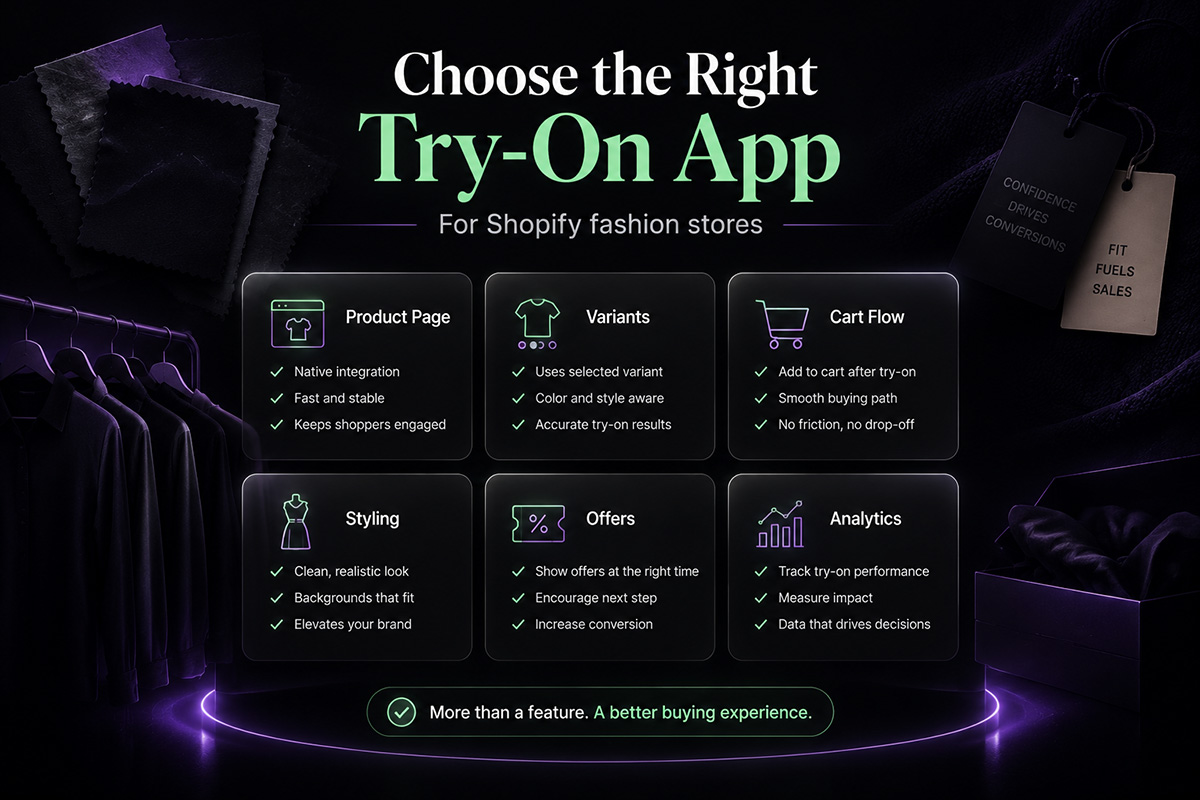
If you are looking for a Shopify try-on app for a fashion store, the real question is not only whether it can generate an AI preview.
That part matters, of course.
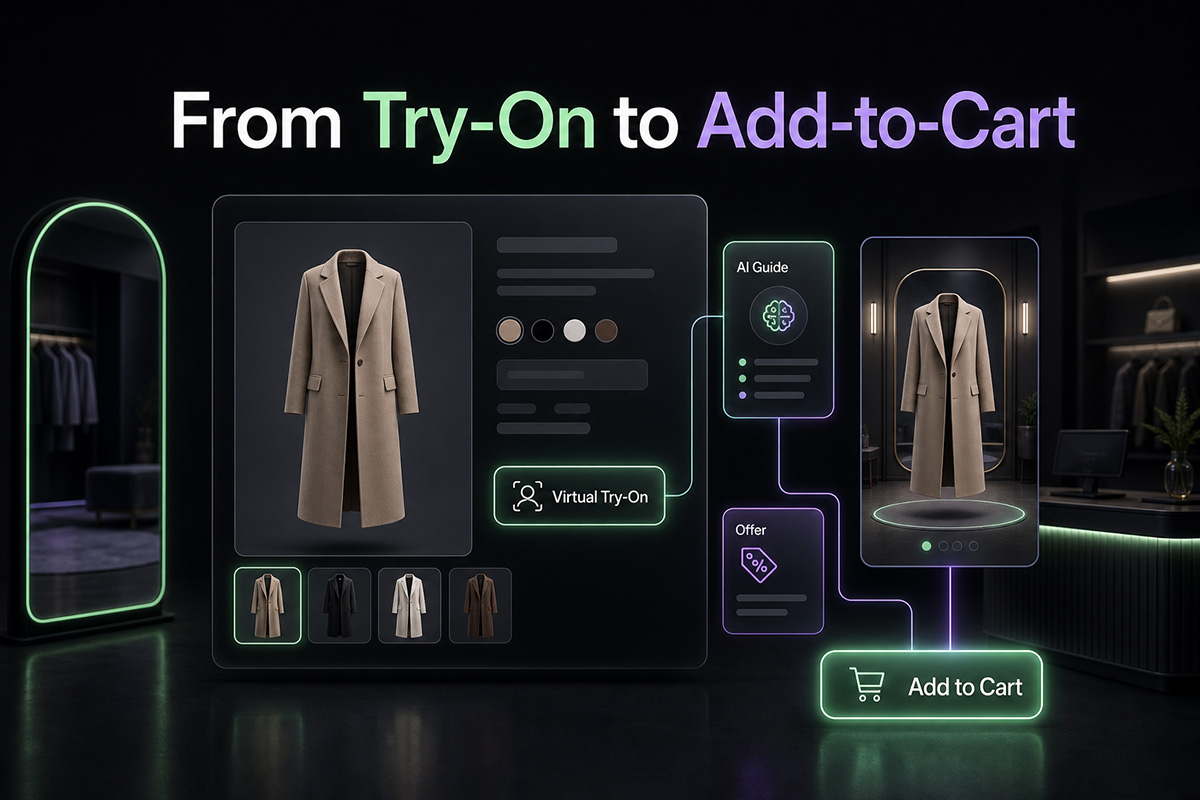
But a virtual try-on app becomes useful only when it fits into the way shoppers already buy clothes online: viewing a product, checking colors or styles, imagining the outfit, and deciding whether to add it to cart.
A good AI virtual try-on app should not feel like a separate demo attached to your store. It should work inside the product page, support the buying decision, and give merchants enough control to use it where it actually makes sense.
That is the standard this checklist is built around.
What Is the Best Shopify Try-On App for Fashion Stores?
The best Shopify try-on app for a fashion store should work directly on product pages, use the selected product or variant image when available, support a clear add-to-cart path after the try-on result, allow product or collection-level controls, and provide storefront performance data.
In other words, it should do more than create an AI image.
It should help shoppers move from visual interest to a next step.
ETRYON is built around this product-page approach. It adds AI virtual try-on to Shopify fashion stores where shoppers already compare products, choose options, and decide whether to add an item to cart.
You can see how the experience works on the ETRYON live demo.
Why Many Shopify Try-On Apps Fall Short
A lot of AI try-on tools look impressive in a demo.
The problem is what happens after the image is generated.
If the shopper has to close a modal, return to the product page, re-check the selected item, choose options again, and then find the cart button, the try-on experience becomes a side trip instead of part of the shopping flow.
That creates friction.
For fashion ecommerce, the try-on moment is not the finish line. It is the moment when the shopper is most ready to make a decision.
A stronger Shopify virtual try-on app should support that moment instead of ending there.
Shopify Try-On App Comparison Checklist
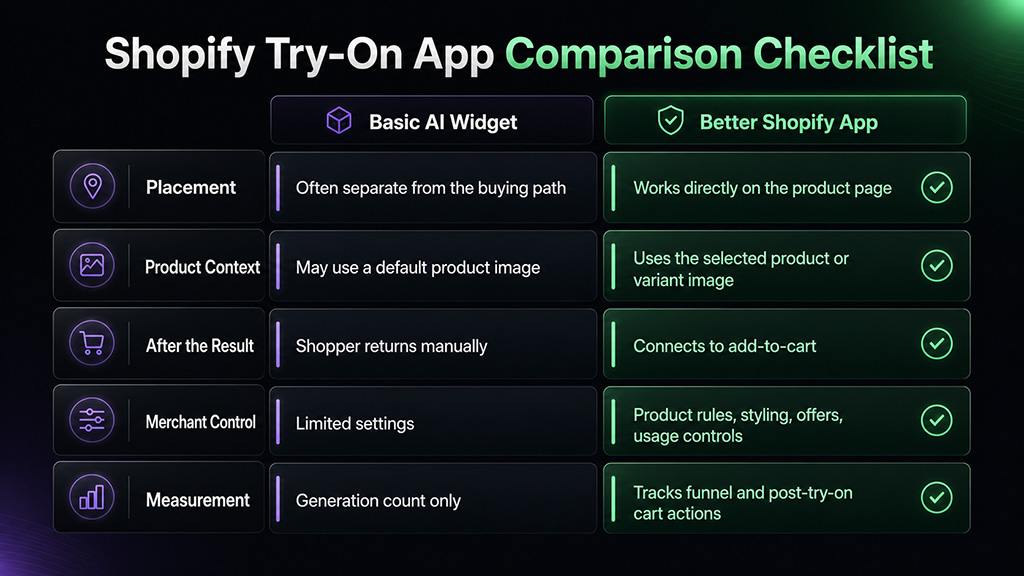
Placement
Basic AI try-on widget: Often separate from the buying path.
Better Shopify try-on app: Works directly on the product page.
Product Context
Basic AI try-on widget: May use a default product image.
Better Shopify try-on app: Can use the selected product or variant image when available.
After the Result
Basic AI try-on widget: Shopper has to return to the buying flow manually.
Better Shopify try-on app: Try-on result connects to product options and add-to-cart.
Merchant Control
Basic AI try-on widget: Limited placement and styling settings.
Better Shopify try-on app: Product rules, collection rules, styling, copy, offers, and usage controls.
Measurement
Basic AI try-on widget: Usually shows generation count only.
Better Shopify try-on app: Tracks try-on funnel events and post-try-on add-to-cart actions.
This is the difference between a visual AI feature and a product-page selling tool.
Product-Page Placement Comes First
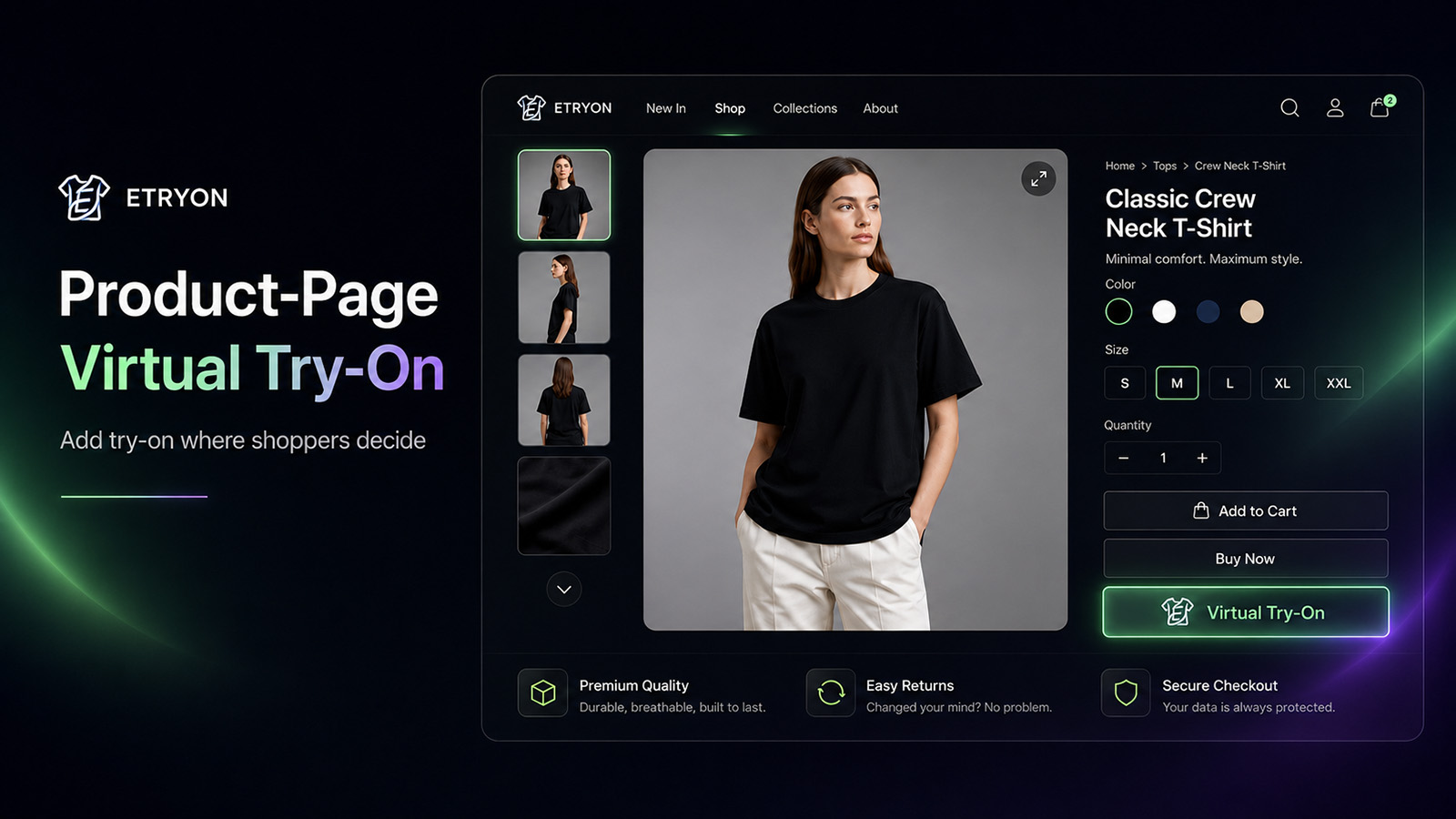
For a Shopify fashion store, the product page is where the decision happens.
A shopper is already looking at a specific item. They may be comparing colors, checking images, reading the description, or wondering whether the style fits them.
That is where virtual try-on belongs.
If the try-on button is hidden on a separate page, buried in a generic widget, or disconnected from the product being viewed, fewer shoppers will use it at the right moment.
Look for a Shopify try-on app that can be added directly to product pages through the Shopify theme experience.
ETRYON works through a Shopify product-page app block, so merchants can place virtual try-on inside the existing product buying flow.
Variant Awareness Matters
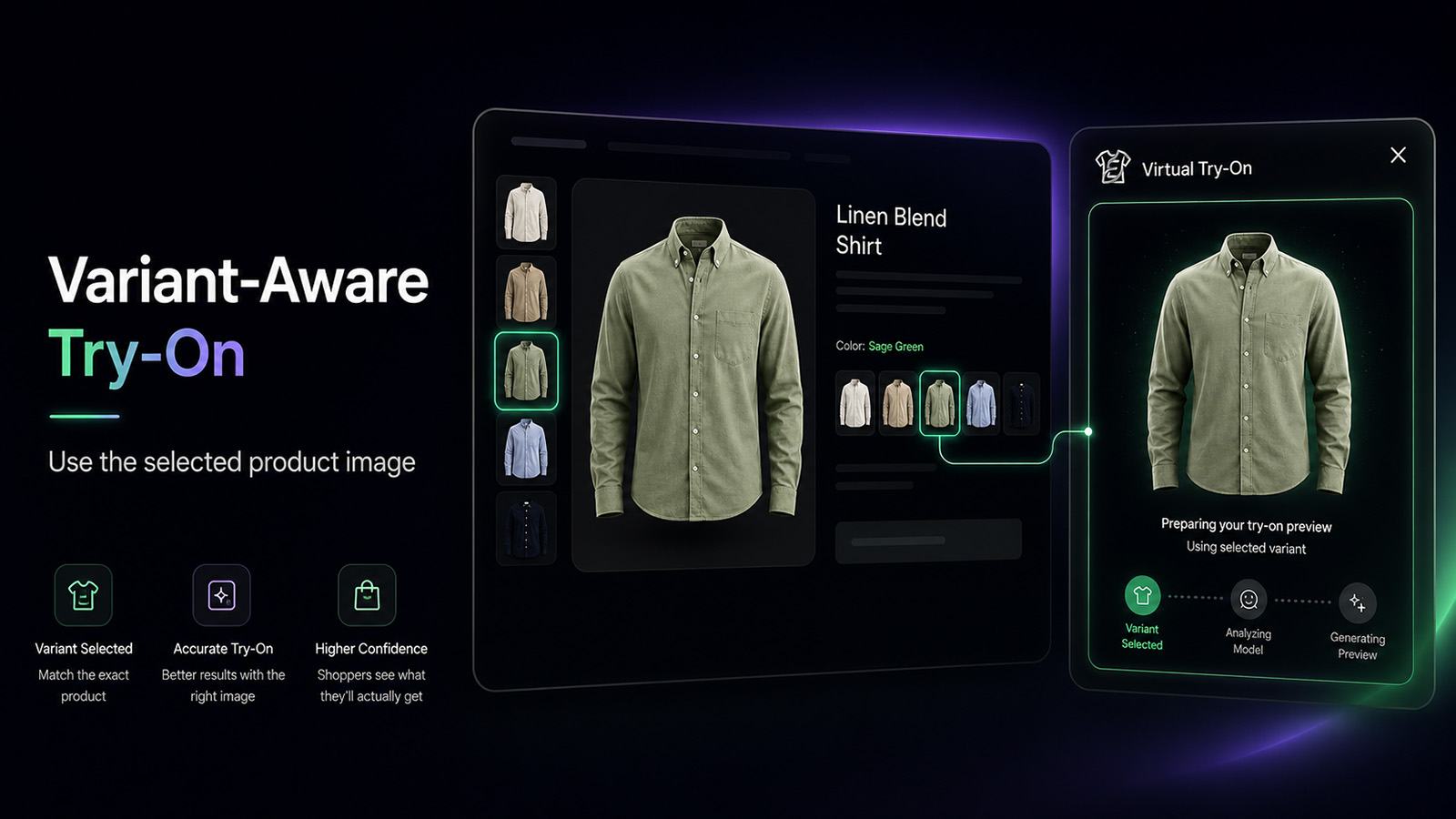
Fashion products are rarely single-image decisions.
A black dress, a sage green dress, and a floral dress may share the same product page, but they are not the same visual decision for the shopper.
That is why variant context matters.
A better Shopify virtual try-on app should use the selected product or variant image when available, so the preview is closer to what the shopper is actually considering.
This is especially useful for:
- Color variants
- Pattern variants
- Style variants
- Products with multiple product images
- Collections where visual difference affects purchase intent
If a try-on app ignores the selected option, the result may still look interesting, but it can be less useful for the real buying decision.
The Try-On Result Should Lead Somewhere
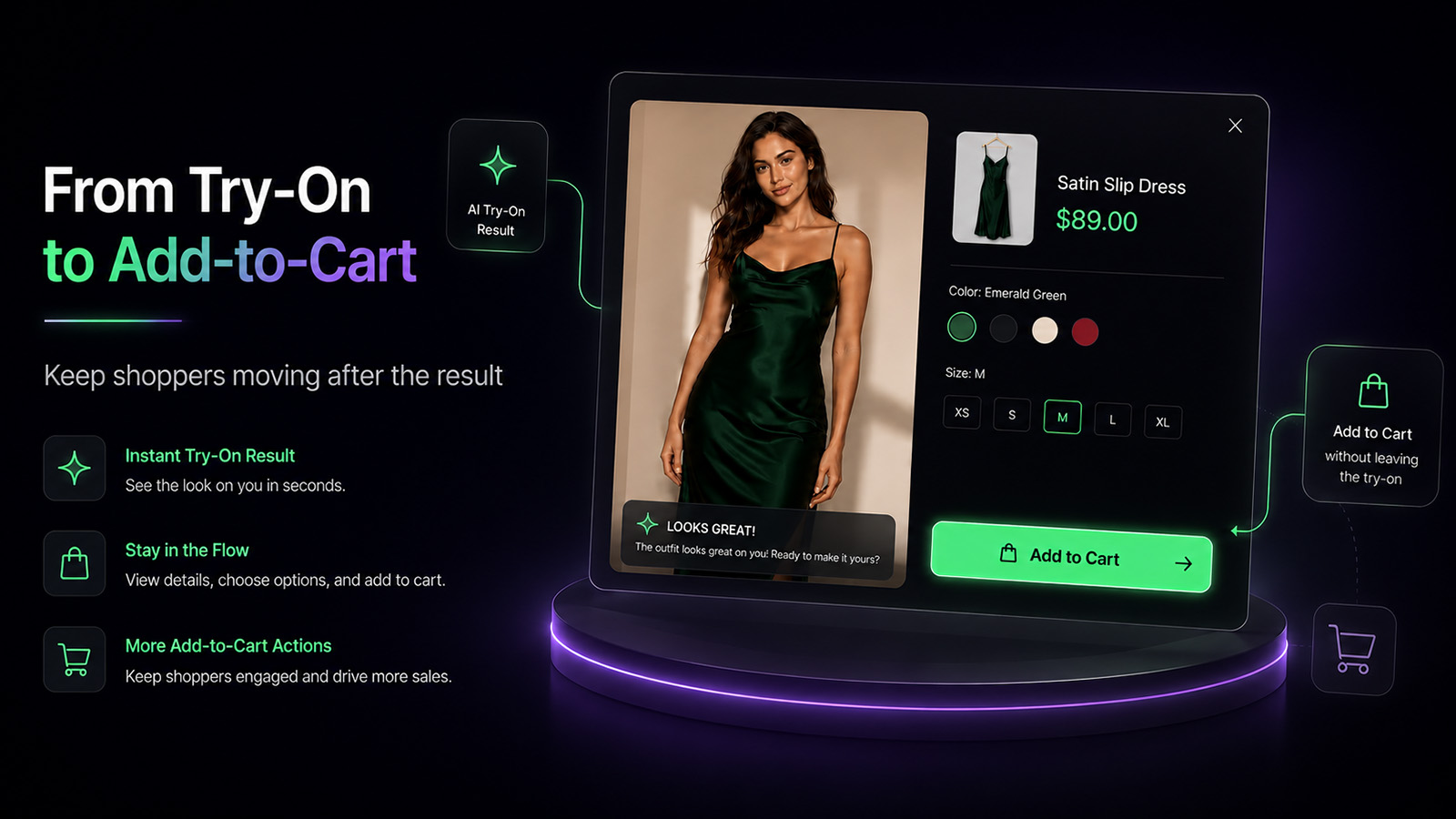
The strongest moment in a try-on flow is not when the image starts generating.
It is after the shopper sees the result.
That is when the product feels less abstract. The shopper has more context. They may still compare options, but they are closer to action than they were before.
A Shopify try-on app should make the next step obvious.
That next step might be:
- Selecting or confirming the product option
- Viewing the result clearly
- Adding the product to cart
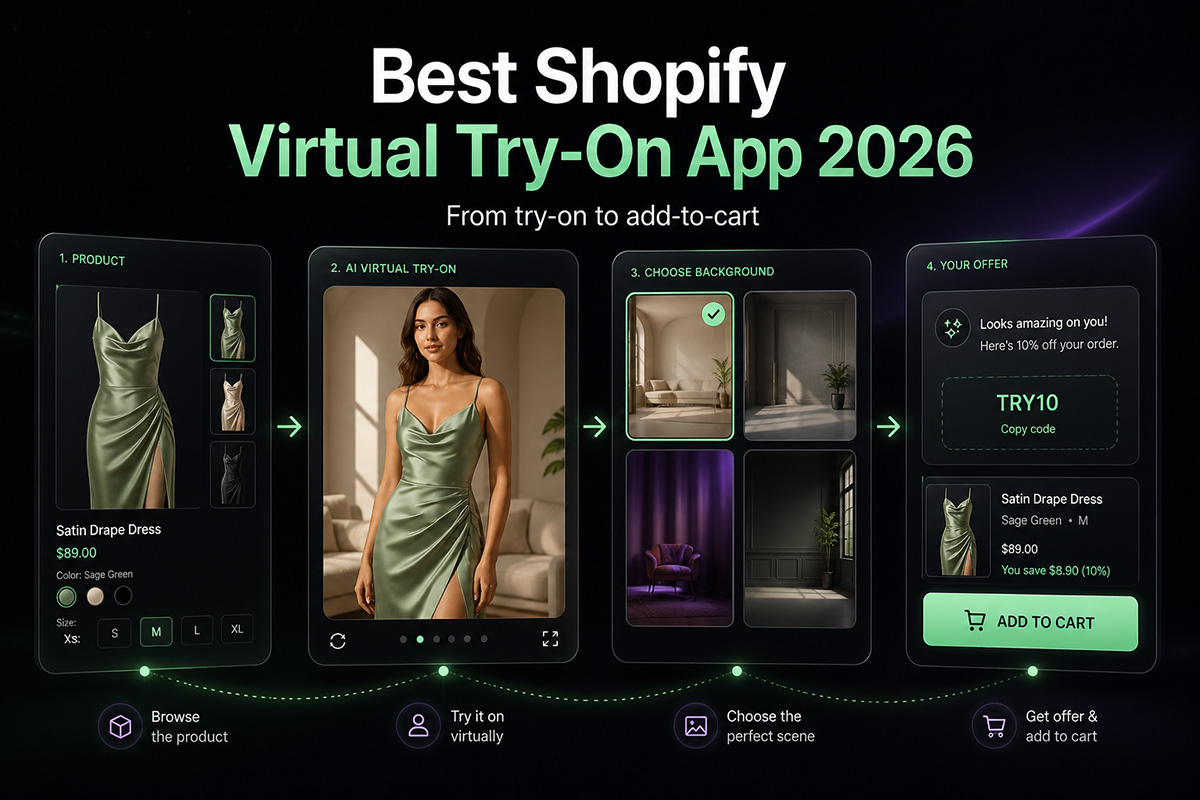
- Seeing a timely post-try-on offer
- Returning to the product page without losing context
ETRYON is designed around this post-result flow. The goal is not just to show an AI preview. The goal is to keep the shopper moving after the preview.
For more on this point, read Why Choose ETRYON for AI Virtual Try-On.
Merchants Need Product and Collection Controls
Not every product needs virtual try-on.
A fashion store may want to enable it for dresses, tops, outerwear, activewear, or swimwear, but not for gift cards, accessories, bundles, or items with unsuitable product images.
This is why control matters.
A practical Shopify try-on app should let merchants decide where the try-on feature appears.
Useful controls include:
- Enable try-on for all products
- Enable try-on by collection
- Enable try-on for selected products
- Keep unsuitable products excluded
- Adjust rules as the catalog changes
ETRYON supports product and collection control, so merchants can roll out virtual try-on where it has the clearest job to do.
Styling Should Match the Store
AI widgets often fail visually because they look like they came from another website.
For fashion brands, that matters.
A try-on button, modal, result screen, and offer message should feel like part of the storefront. If the styling clashes with the theme, shoppers notice.
When comparing Shopify virtual try-on apps, check whether you can adjust:
- Button text
- Button style
- Modal copy
- Colors
- Border radius
- Fonts
- Result messaging
- Background or output settings
ETRYON gives merchants styling and copy controls so the experience can feel more native to the store instead of like a pasted-on tool.
Post-Try-On Offers Can Support the Decision
Discounts are easy to overuse.
But timing changes everything.
A generic popup that appears as soon as someone lands on the page can feel interruptive. A post-try-on offer appears after the shopper has already shown stronger product interest by completing the try-on flow.
That makes it more relevant.
ETRYON supports configured post-try-on offers, allowing merchants to show a light offer after a shopper views their try-on result.
Used carefully, this can give shoppers a clear next step without turning the store into a discount machine.
Analytics Should Show More Than Generations
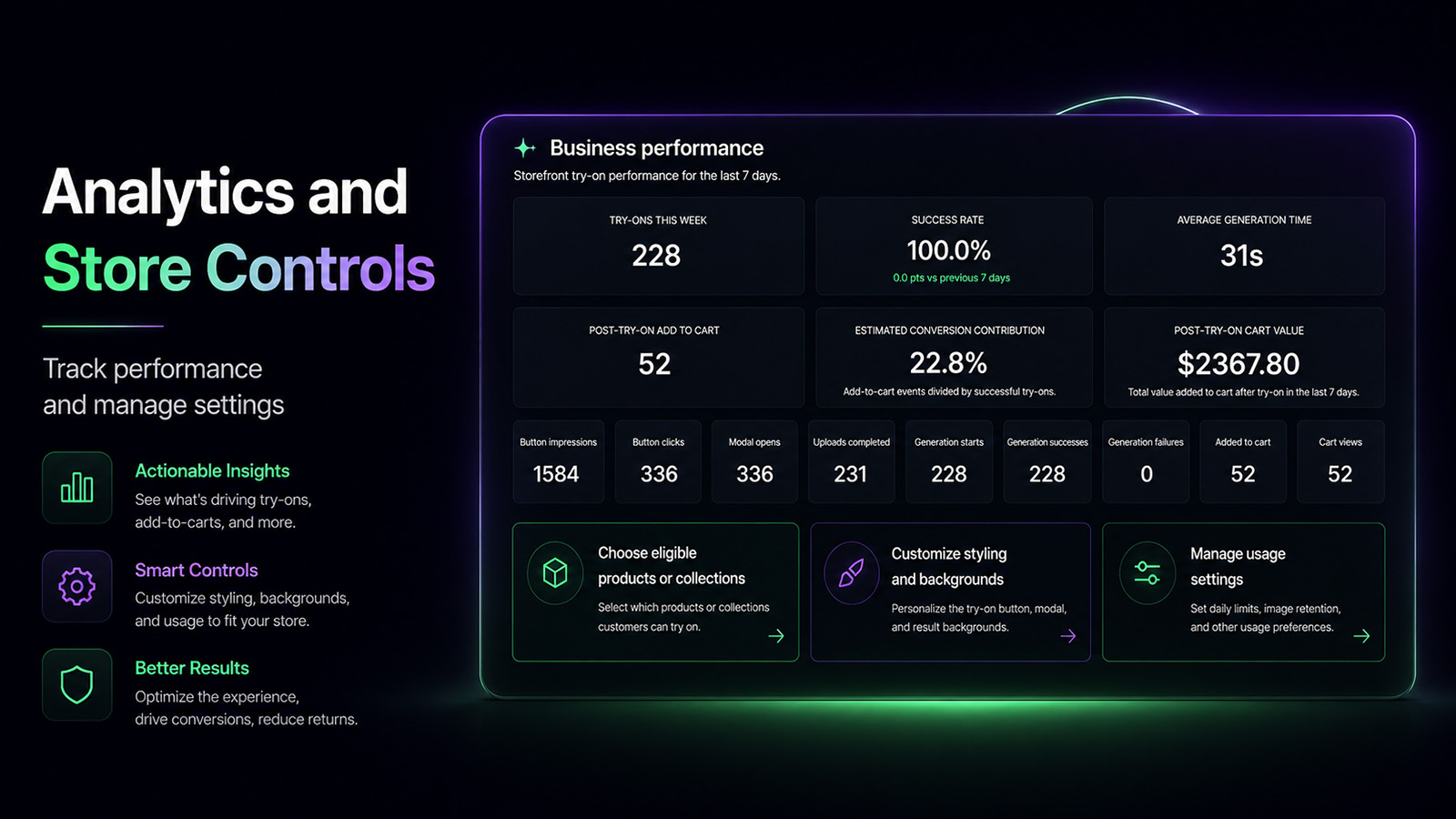
A try-on app should not leave merchants guessing.
Generation count is useful, but it is not enough.
Fashion stores need to understand how shoppers move through the try-on flow.
Useful metrics include:
- Try-on button impressions
- Try-on button clicks
- Modal opens
- Uploads completed
- Generation starts
- Generation successes
- Generation failures
- Post-try-on add-to-cart actions
- Cart views after try-on
These signals help merchants answer better questions.
- Are shoppers seeing the button?
- Are they opening the try-on modal?
- Are they completing uploads?
- Are successful try-ons leading to cart actions?
- Which products should get try-on next?
ETRYON tracks storefront try-on behavior so merchants can evaluate the feature as part of the shopping journey, not just as an AI image tool.
Shopify Setup Should Be Simple
A Shopify try-on app should not require a custom AI integration just to get started.
For Shopify merchants, ETRYON is installed from the Shopify App Store and used through Shopify's app and theme workflow. Shopify merchants do not need to copy an API key from app.etryon.ai.
That API key flow is for WooCommerce stores using the WordPress plugin.
For Shopify, the basic path is simple:
- Install ETRYON from the Shopify App Store
- Add the ETRYON app block to your product page
- Configure button text, styling, product rules, and plan settings
- Publish the product page experience
You can also read the Shopify setup guide here: How to Add ETRYON Virtual Try-On to Your Shopify Store.
Final Checklist Before Choosing a Shopify Try-On App
Before choosing a Shopify virtual try-on app, ask these questions:
- Does it work directly on Shopify product pages?
- Can it use the selected product or variant image when available?
- Does the try-on result connect to add-to-cart?
- Can merchants control which products or collections show try-on?
- Can the styling match the storefront?
- Can post-try-on offers be configured?
- Does it track meaningful storefront events?
- Is Shopify setup simple enough for a real merchant workflow?
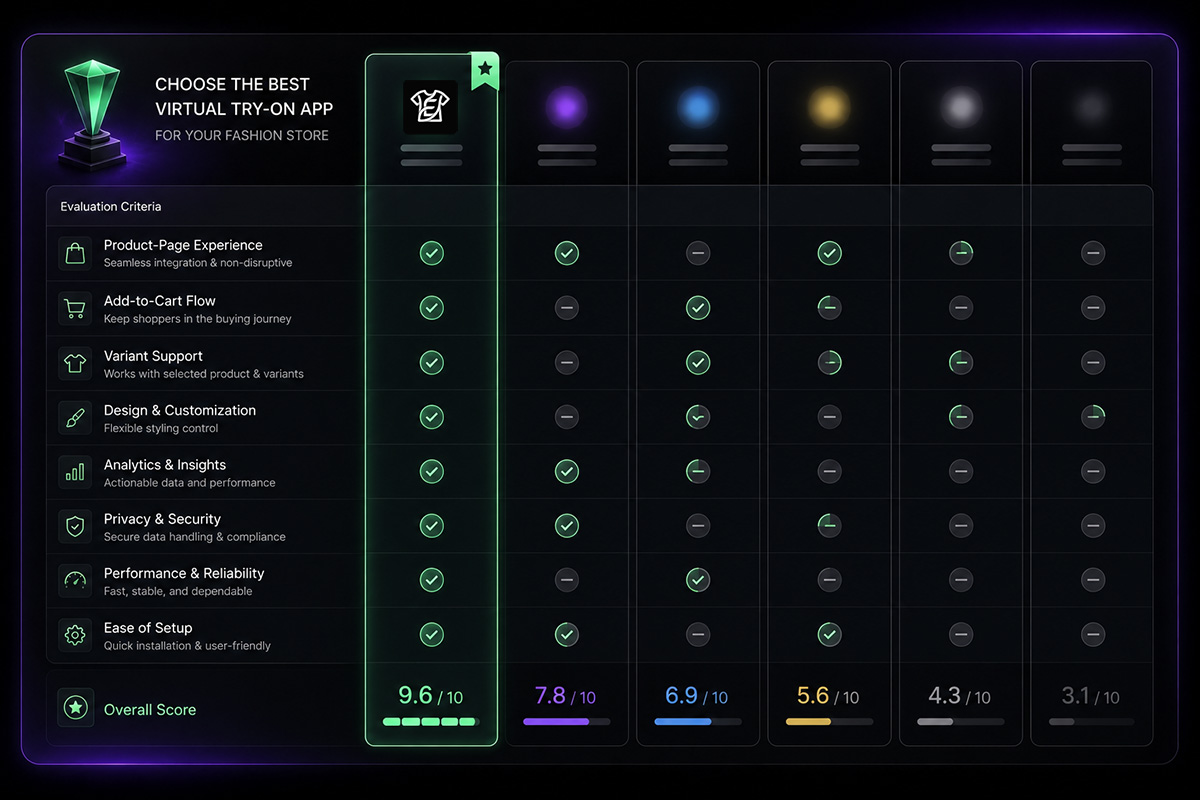
If the answer is yes, the app is much more likely to work as part of your store instead of sitting beside it as a visual experiment.
Why ETRYON Fits Shopify Fashion Stores
ETRYON is built for fashion ecommerce stores that want AI virtual try-on to live inside the buying path.
It supports product-page placement, selected product or variant context when available, add-to-cart flow after try-on, merchant-controlled product rules, styling controls, post-try-on offers, and storefront performance tracking.
That combination matters because fashion shoppers do not only need to see an AI-generated image.
They need a clearer way to decide what to do next.
If you want to see how ETRYON works before installing it, view the live demo.
You can also explore ETRYON's Shopify and WooCommerce apps here: ETRYON Apps.
Frequently Asked Questions
What is a Shopify try-on app?
A Shopify try-on app lets fashion shoppers preview how a product may look in a wearing context before they buy. An AI virtual try-on app usually works by combining a shopper-uploaded photo with a product image to create a try-on preview.
Can customers try on clothes on a Shopify store?
Yes. With a Shopify virtual try-on app such as ETRYON, merchants can add a try-on button to product pages so shoppers can upload a photo and preview clothing before deciding whether to add the product to cart.
Does ETRYON work on Shopify product pages?
Yes. ETRYON is designed to work on Shopify product pages through a product-page app block, so virtual try-on appears where shoppers are already viewing products and making buying decisions.
Do Shopify merchants need an API key for ETRYON?
No. Shopify merchants do not need to copy an API key from app.etryon.ai. ETRYON is installed through the Shopify App Store, and Shopify setup, plan selection, and billing are handled through Shopify.
Can AI virtual try-on help increase add-to-cart actions?
AI virtual try-on can help shoppers evaluate clothing with more context before buying. When the try-on result is connected to product options, post-try-on offers, and add-to-cart actions, it can support a smoother path from product interest to cart action.


.avif)

