
.webp)


Choosing an AI virtual try-on plugin for WooCommerce is different from choosing a simple WordPress add-on.
You are not just adding another button to a product page.
You are asking shoppers to upload a photo, wait for an AI-generated result, judge how a clothing product looks on them, and then decide whether to add it to cart. That means the plugin needs to work well with WooCommerce products, WordPress themes, product variations, store settings, privacy expectations, and the actual buying flow.
A good AI virtual try-on plugin should not feel like a separate AI toy. It should feel like part of the store.
If you run a WooCommerce fashion store and are comparing virtual try-on plugins, here is what to check before you install one.
The plugin should be built for WooCommerce product pages
The first question is simple:
Does the plugin work where shoppers already make purchase decisions?
For fashion ecommerce, that usually means the single product page. This is where shoppers look at product images, compare colors, choose sizes, read details, check price, and decide whether to add the item to cart.
If a virtual try-on tool sends shoppers to a separate page or disconnected demo, it may still look interesting. But it also pulls them away from the buying path.
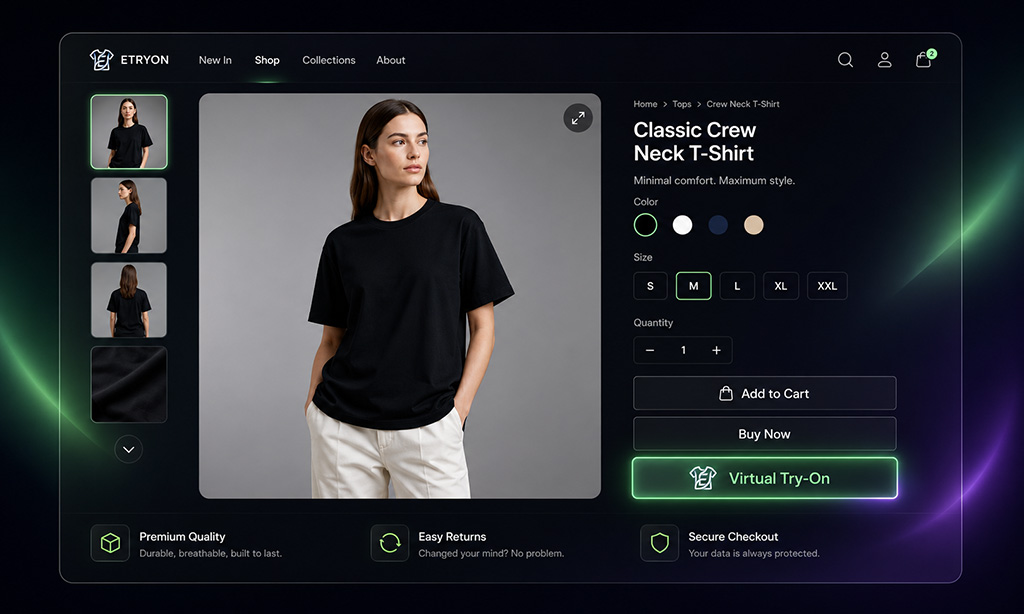
A strong WooCommerce virtual try-on plugin should add the try-on experience directly to product pages, ideally through a modal or product-page interface that keeps shoppers close to the product they are considering.
ETRYON is designed around this product-page behavior. The WordPress plugin adds a try-on button to WooCommerce product pages, so shoppers can upload or capture a photo and generate a preview without leaving the product context.
You can review the official ETRYON Virtual Try-On plugin on WordPress.org, or compare both platform options on the ETRYON Apps page.
It should handle variable products properly
WooCommerce fashion stores often rely on variable products.
A dress may have multiple colors. A hoodie may have different sizes and product images. A jacket may show different materials or styling based on the selected variation.
That matters for virtual try-on.
If a shopper selects a specific variation, the try-on experience should stay as close as possible to that choice. Otherwise, the result can feel disconnected from the item the shopper actually wants to buy.
Before choosing a WooCommerce AI virtual try-on plugin, check whether it supports variable products and selected variation images when available.
This is especially important for stores with:
- Color variants
- Style variants
- Product images tied to variations
- Apparel collections with similar but visually different options
ETRYON's WooCommerce plugin is built to work with selected products and variations when applicable, helping the generated preview better match the shopper's buying context.
The setup should be clear, not technical
WooCommerce store owners are used to plugin setup. But AI tools often add extra complexity: accounts, API keys, usage limits, image processing, and external services.
That is not a problem by itself. It just needs to be clear.
A good WooCommerce virtual try-on plugin should explain exactly what the merchant needs to do.
For ETRYON WooCommerce setup, the flow is straightforward:
- Install and activate the WooCommerce plugin.
- Create an ETRYON account at app.etryon.ai.
- Copy your API key from the ETRYON dashboard.
- Paste the API key into the plugin settings.
- Enable virtual try-on on the right products or categories.
This is different from Shopify. Shopify merchants do not need to copy an API key from app.etryon.ai. WooCommerce merchants do, because the WordPress plugin connects to ETRYON's service through the API key.
That distinction should be clear on any product page, setup guide, or plugin documentation.
The try-on result should connect to add-to-cart
Many AI try-on tools stop at the most visually exciting moment: the generated image.
But WooCommerce stores need more than a preview.
After a shopper sees the result, they still need a clear next step. They may need to confirm the variation, choose a size, review the product, or add the item to cart.
If the try-on flow ends with "close the modal and figure it out yourself," the plugin is not doing enough.
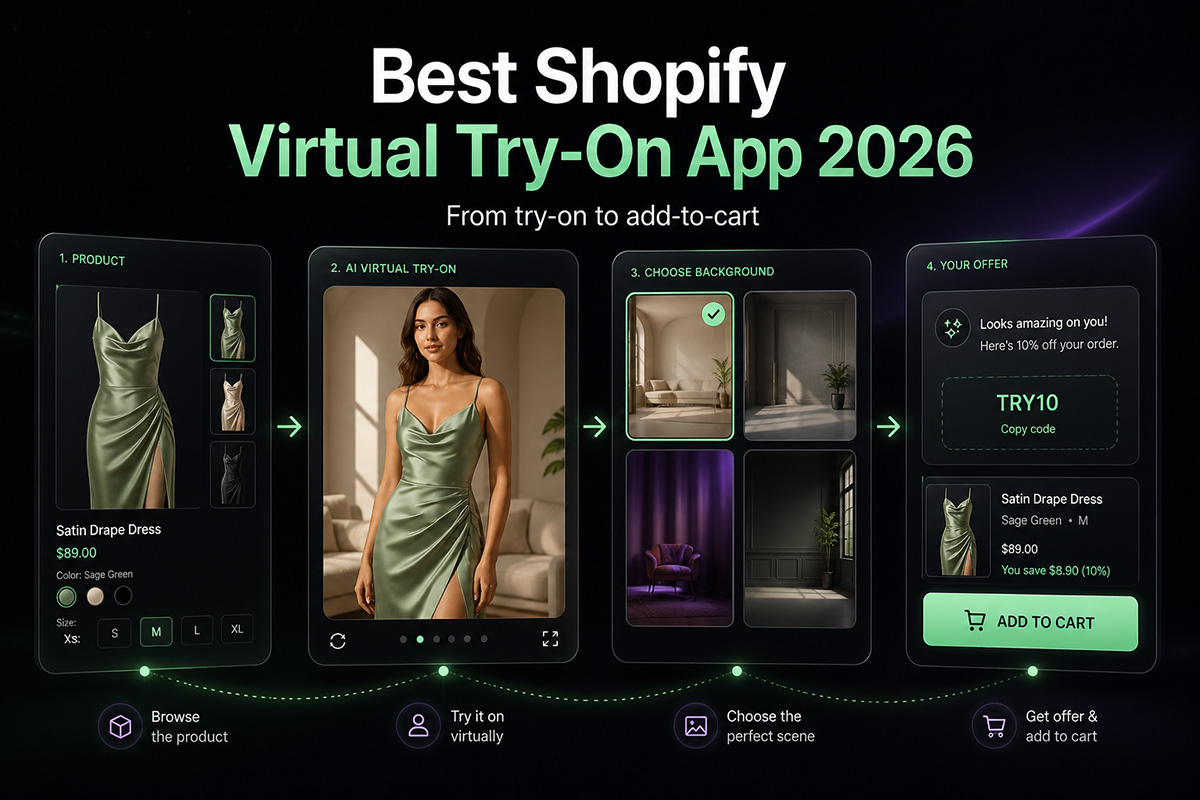
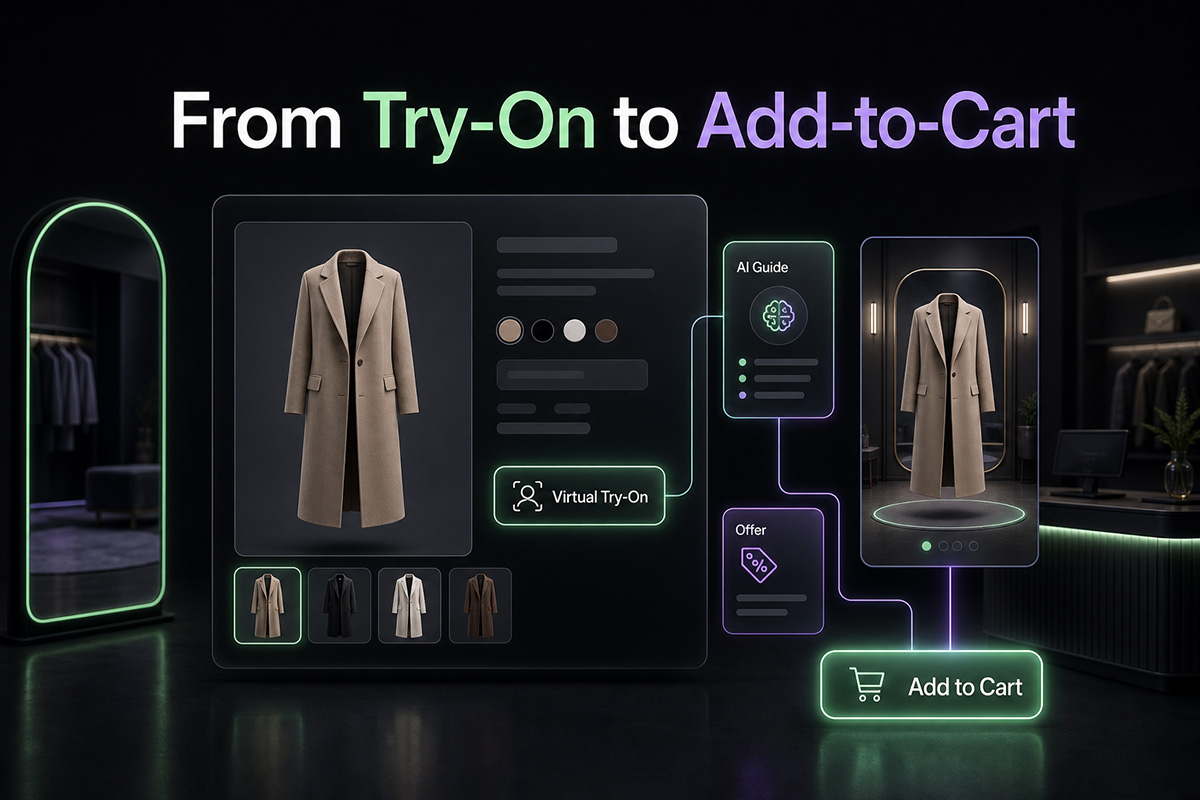
A practical WooCommerce virtual try-on plugin should support the path from try-on result to purchase action.
Look for:
- Product information inside the try-on flow
- Selected product or variation context
- A visible add-to-cart action
- A smooth return to the product page
- Mobile-friendly interaction
- Optional post-try-on offer support
This is where ETRYON is different from a standalone AI image generator. The plugin is designed to keep try-on connected to the product-page buying flow, including add-to-cart from the modal. You can see the shopper experience in the ETRYON live demo.
The merchant should control where try-on appears
Not every WooCommerce product should have virtual try-on.
This is especially true for fashion stores that also sell accessories, gift cards, bundles, beauty products, home items, or products with unsuitable images.
If a virtual try-on button appears on the wrong product, it can make the store feel messy.
A good plugin should let you control where try-on is enabled.
Useful control options include:
- Enable try-on for all eligible products
- Enable it only for selected products
- Enable it only for selected categories
- Exclude products where try-on does not make sense
This lets store owners start with the products most likely to benefit from virtual try-on.
For example, you might test ETRYON first on dresses, jackets, tops, or best-selling apparel categories before expanding it across more of the catalog.
The plugin should match your WordPress theme
WooCommerce stores vary a lot.
Some use premium fashion themes. Some use custom builders. Some have minimalist product pages. Others are more editorial, boutique, or marketplace-like.
A virtual try-on plugin should not look like it came from another website.
Before installing one, check whether you can customize the storefront experience.
Important settings include:
- Button text
- Modal text
- Supporting instructions
- Colors
- Border radius
- Font feel
- Result page messaging
- Offer text
The goal is not to over-design the try-on feature. The goal is to make it feel native enough that shoppers trust it.
ETRYON includes text and style settings so merchants can adjust how the try-on experience appears on WooCommerce product pages.
Image handling and privacy should be easy to understand
Virtual try-on involves shopper images. That makes privacy and image handling more important than in a normal WooCommerce plugin.
Before choosing a plugin, check what happens when a shopper uploads a photo.
Ask:
- Where is the photo processed?
- Where are generated images stored?
- Can retention settings be managed?
- Is the API key handled server-side?
- Does the plugin expose sensitive credentials in the storefront?
- Can merchants explain the experience clearly in their privacy policy?
ETRYON's WooCommerce plugin uses a server-side API key and domain validation. The plugin listing also explains that image generation is processed by ETRYON's service and that generated outputs can be managed according to image and storage settings.
This is not the flashiest part of virtual try-on.
But it matters if you want the feature to run on a real store, not just a test page.
The plugin should give store owners practical settings
A WooCommerce plugin should not force merchants into one fixed workflow.
Different stores have different catalogs, customer behavior, theme layouts, and launch strategies. A useful virtual try-on plugin should give store owners enough control to test, refine, and scale.
Look for settings around:
- Product availability
- Daily try-on limits
- Generation options
- Aspect ratio
- Background options
- Beauty or output settings
- Text and style customization
- Image storage
- Recent uploads or history
- Post-try-on offers
ETRYON's WooCommerce plugin includes admin settings for setup, generation options, product availability rules, text and styles, image storage, and usage controls. That makes it more practical for store owners who want to start focused and adjust based on real shopper behavior.
For a broader look at the product philosophy, read Why Choose ETRYON for AI Virtual Try-On.
It should work well on mobile
Many fashion shoppers browse on mobile.
That means virtual try-on cannot only look good on desktop. The upload flow, camera option, modal layout, result preview, and add-to-cart action all need to feel usable on a smaller screen.
Before choosing a WooCommerce virtual try-on plugin, test the experience on mobile:
- Can shoppers easily upload or capture a photo?
- Is the modal readable?
- Are buttons easy to tap?
- Does the result load clearly?
- Can shoppers continue to cart without confusion?
The WordPress.org listing for ETRYON includes a review noting that the experience is smooth on both desktop and mobile, but you should still test it with your own theme and product pages before a full rollout.
A practical checklist before choosing a WooCommerce virtual try-on plugin
Before you install a plugin, ask these questions:
- Does it work directly on WooCommerce product pages?
- Does it support variable products or selected variations when available?
- Is the API key setup clear?
- Does the result connect to add-to-cart?
- Can I control which products or categories show try-on?
- Can I customize the button, modal, colors, and text?
- Are image handling and storage settings clear?
- Does the plugin keep sensitive credentials server-side?
- Does it work well on mobile?
- Can I manage usage limits and generation settings?
- Does it support post-try-on offers or next-step prompts?
- Is there a live demo or official plugin listing I can review?
If most answers are unclear, the plugin may be risky to launch on a live WooCommerce store.
Final thought
The best AI virtual try-on plugin for WooCommerce is not just the one that creates a good-looking image.
It is the one that works with the way WooCommerce stores actually sell.
That means product-page placement, variable product awareness, clear API setup, add-to-cart flow, merchant controls, theme-friendly styling, image handling, and mobile usability.
ETRYON was built with those practical details in mind.
It helps WooCommerce fashion stores add AI virtual try-on to product pages, let shoppers preview clothing on themselves, and continue toward purchase with more confidence.
If you are evaluating virtual try-on for your WooCommerce store, do not only ask whether the AI can generate a try-on image.
Ask whether the plugin can support the buying journey after that image appears.
For setup steps, see How to Add AI Virtual Try-On to a WooCommerce Store.


.avif)

