
.webp)

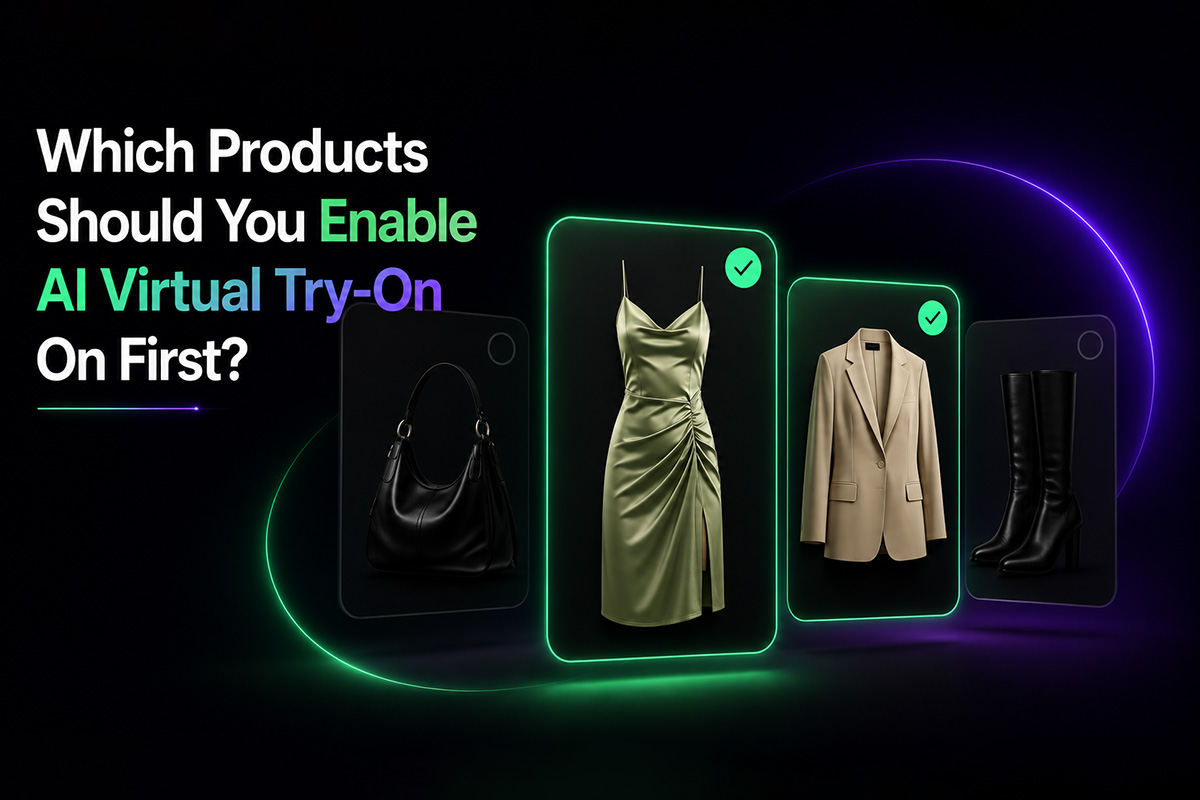
Do not launch AI virtual try-on on every product first.
That sounds efficient, but it is usually the wrong place to start.
A fashion store does not learn much by turning a new feature on everywhere at once. Some products will get traffic. Some will not. Some have strong images. Some do not. Some shoppers need help deciding. Others already know what they want.
A better first question is simple:
Which products actually need a try-on moment?
That is where your rollout should begin.
Start with products that already get traffic
Virtual try-on cannot help a product that nobody sees.
The first place to look is your existing product traffic. Find items that already receive steady views but do not convert as well as they should.
These are useful test candidates because the problem is not visibility. People are already arriving. Something on the product page is stopping them from taking the next step.
Look for products with:
- High product page views
- Lower add-to-cart rate
- Longer time on page
- Frequent color or size changes
- Strong saves or wishlist behavior
- Repeated customer questions
These products give you faster feedback. If shoppers are already landing there, you can see whether try-on changes behavior without waiting months for data.
For a broader product-page testing approach, read Fashion Product Page CRO: How to Increase Add-to-Cart Without More Traffic.
Choose products where visual judgment matters
Not every product needs AI virtual try-on.
A simple basic item may sell well with clear photos and size details. A gift card does not need try-on. Some accessories may not benefit from a full-body preview.
Virtual try-on is more useful when the shopper needs to imagine the product in a wearing context.
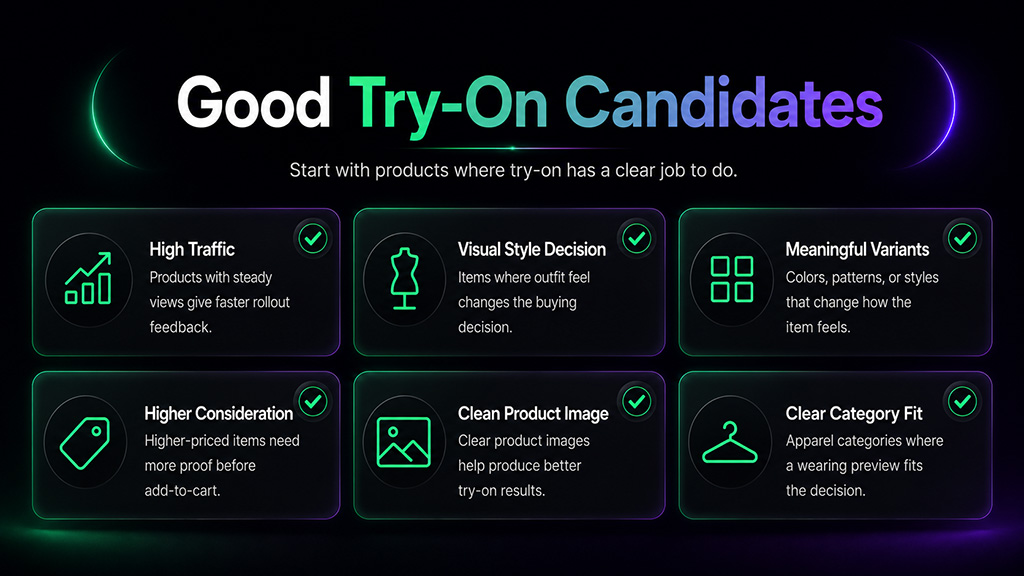
Good candidates include:
- Dresses
- Tops
- Jackets
- Coats
- Shirts
- Statement pieces
- Occasionwear
- Higher-style products
These are products where the shopper is not only asking, "What is this?" She is asking, "Can I see myself wearing this?"
That is the moment try-on is designed for.
Prioritize products with variants
Variant-heavy products are strong candidates for virtual try-on.
A black dress, a sage green dress, and a red dress may be the same product in your store admin, but they are not the same decision in the shopper's mind.
Color, fabric, pattern, and style variations can change the whole feeling of the item.
If a product has meaningful visual variants, try-on can help shoppers evaluate the option they are actually considering.
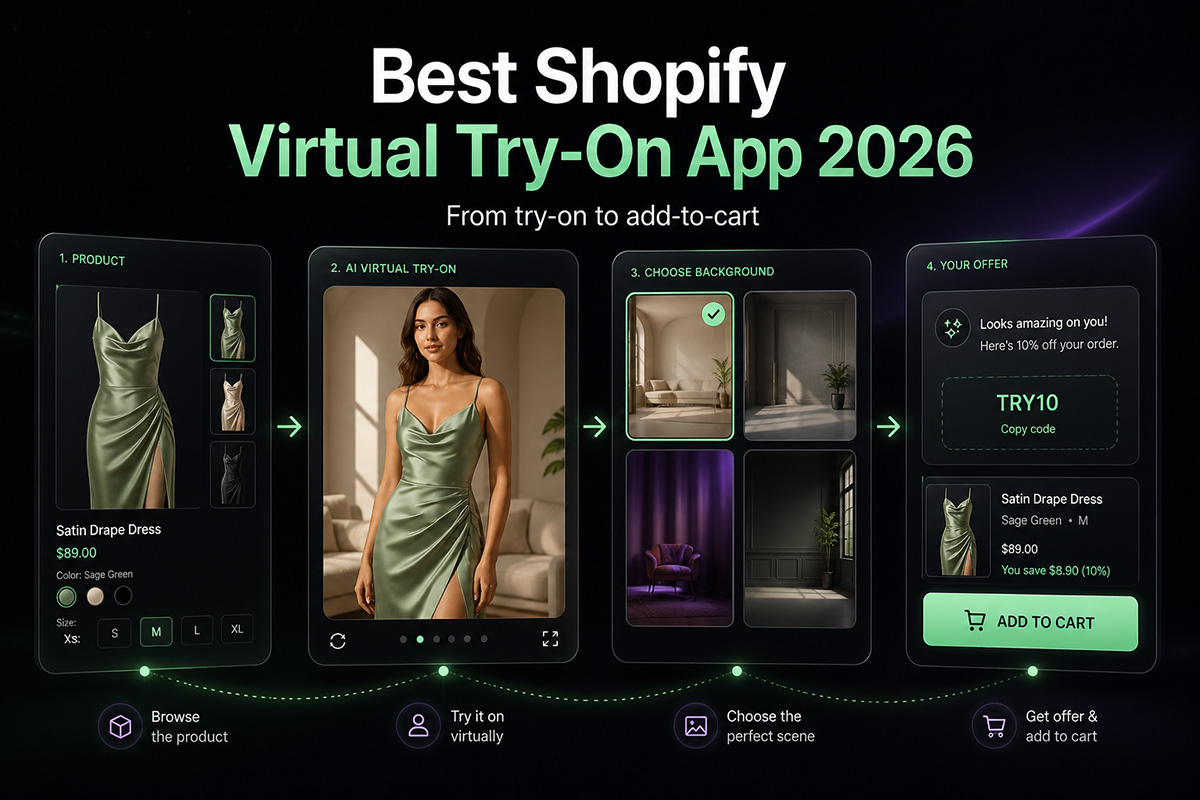
This is especially important when product images are tied to selected variants. ETRYON can use the selected product or variant image when available, helping the try-on preview stay closer to the shopper's real choice.
If you want to understand this difference in more detail, see Best Virtual Try-On App for Shopify Fashion Stores or Best AI Virtual Try-On Plugin for WooCommerce.
Do not ignore higher-priced products
Price changes the amount of proof a shopper needs.
A customer may buy a low-cost basic with less thought. But a higher-priced dress, coat, or outfit usually needs more justification before add-to-cart.
That does not mean every premium product needs a discount. It means the product page needs to answer more questions before the shopper acts.
Virtual try-on can be useful here because it gives the shopper one more way to evaluate the product before committing.
Start with higher-consideration products where shoppers may pause because of:
- Price
- Fit expectations
- Occasion use
- Color confidence
- Style risk
- Return concern
These are not always your highest-volume products, but they can be high-value test pages.
Avoid products with weak images
AI virtual try-on depends on product image quality.
If the product photo is blurry, heavily styled, oddly cropped, blocked by props, or shown at an extreme angle, the try-on result may suffer.
Before enabling try-on, review the product images.
Better candidates usually have:
- Clear front-facing product images
- Good lighting
- Minimal obstruction
- Visible garment shape
- Accurate color
- Variant images where needed
- Consistent product presentation
If an important product has weak images, fix the images first. Turning on virtual try-on will not solve a bad product photo.
For a practical image checklist, read What Makes a Good Product Photo for AI Virtual Try-On?
Use collections for controlled rollout
You do not have to choose products one by one forever.
A practical rollout can start with a collection.
For example:
- Best-selling dresses
- New arrivals
- Jackets and outerwear
- Occasionwear
- High-traffic tops
- Summer collection
This makes the test easier to manage. It also keeps the storefront experience consistent for shoppers browsing a category.
ETRYON supports product and collection availability controls, so merchants can decide where try-on appears instead of showing it across the entire catalog by default.
That control matters.
It lets you launch deliberately, not randomly. You can review platform setup options on the ETRYON Apps page.
What to measure after launch
Do not judge the rollout by whether the button looks good.
Track what shoppers do.
Useful signals include:
- Try-on button impressions
- Try-on button clicks
- Modal opens
- Photo uploads completed
- Generation success rate
- Post-try-on add-to-cart actions
- Cart visits after try-on
- Add-to-cart rate on enabled products
- Performance by product or collection
The goal is not just to generate try-on images.
The goal is to learn which products benefit from a try-on step and which ones do not need it.
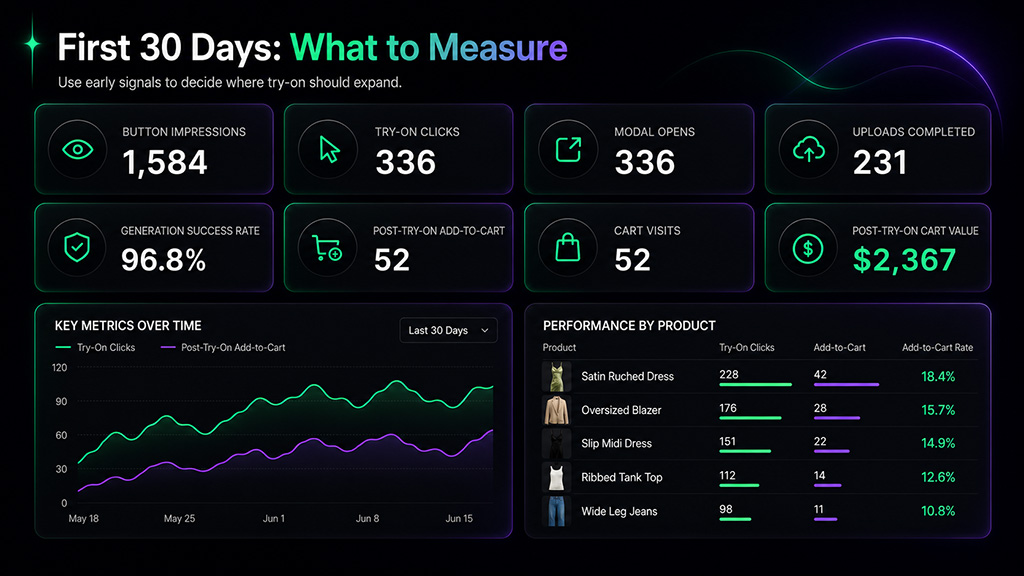
First 30 days analytics dashboard for measuring AI virtual try-on product rollout
If a product gets many try-on clicks but few add-to-cart actions, the product may still have pricing, fit, image, or offer issues.
If a product gets strong try-on usage and more cart actions, it may be a good candidate for broader promotion.
You can also read How ETRYON Virtual Try-On Helps Increase Add-to-Cart Rates for Fashion Stores for a closer look at post-try-on behavior.
A simple rollout plan
Here is a practical way to start:
- Choose 5 to 10 products with meaningful traffic.
- Include products with variants, higher price, or visible style questions.
- Make sure product images are clean enough for try-on.
- Enable virtual try-on only on those products or collections.
- Watch try-on usage and post-try-on add-to-cart behavior.
- Improve product images, copy, and placement based on what shoppers do.
- Expand to similar products only after the first group gives useful data.
This is slower than enabling everything at once.
It is also much easier to learn from.
Final thought
AI virtual try-on works best when it is placed where it has a job to do.
Not every product needs it on day one.
Start where shoppers already show interest but still need help making the decision: high-traffic products, visual products, variant-heavy products, higher-consideration items, and collections where try-on fits the buying process.
ETRYON is built for that kind of rollout. Shopify and WooCommerce merchants can control where try-on appears, test selected products first, and track what happens after shoppers engage.
You can test the shopper-side flow in the ETRYON live demo.
The best first launch is not the biggest one.
It is the one that teaches you where virtual try-on actually helps.


.avif)

